
Module 7: Personalisation & Custom Orders
Deliver Custom Work Without Chaos
Personalisation is what sets your business apart.
It turns a product into:
✔ A meaningful gift
✔ A premium item
✔ A repeat-customer magnet
But custom work also comes with responsibility.
One wrong letter.
One missed detail.
One misunderstood request.
And suddenly: wasted vinyl, lost time, unhappy clients.
This module teaches you how to handle custom orders confidently, professionally, and stress-free. Trust me. I have learnt this the hard way!
Designing with Names, Dates, Quotes & Themes
Most personalised designs include:
– Names (first names, nicknames, monograms)
– Important dates (birthdays, anniversaries, weddings)
– Short phrases (“Best Teacher Ever”, “Feeling Cute, Might Cry Later”)
– Themed requests (Easter, birthdays, superheroes, boho, rainbow, baby animals)
Tips for Strong Personalised Designs
✔ Make the name the hero
It should be the most visible element.
✔ Choose readable fonts
Avoid overly decorative fonts for long names.
Real example:
I once used a cursive font where “F” and “T” looked similar.
The customer thought I had made a spelling mistake.
Lesson learned!
✔ Support with graphics, don’t overwhelm
Use hearts, wreaths, stars, or borders lightly.
✔ Test sizing on real products
What looks perfect on screen may look wrong in real life.
✔ Keep designs balanced
Centre text carefully, especially on shirts and bags.
Pro Tip: Build a “Quick Custom” Library
Create 5–10 reusable base designs that can be personalised quickly with:
– Names
– Dates
– Colours
You can easily do this in Canva or your cutting software.
This allows you to take more orders without redesigning from scratch every time.
Handling Spelling, Mockups & Customer Proofs
Custom orders require double-checking.
One typo = full remake! Loss of time, loss of sanity, and financial loss too!
Protect your business.
Ways to Protect Your Work (and Sanity)
✔ Always confirm spelling
Ask clients to verify their wording.
Example message:
“Please confirm spelling before I begin production. Errors cannot be fixed once production starts.”
✔ Create mockups
Use Canva, Design Space, or quick previews to show layout and spelling.
Paste their exact wording into the design.
✔ Use templates
Create reusable mug, shirt, and tumbler mockups.
This speeds up your process and looks professional.
✔ Record approvals
Save screenshots of confirmed designs.
This protects you in case of disputes.
✔ Use order forms
For larger orders, collect details in one place:
– Name
– Colour
– Font
– Size
– Theme
– Deadline
Google Forms or WhatsApp notes work perfectly.
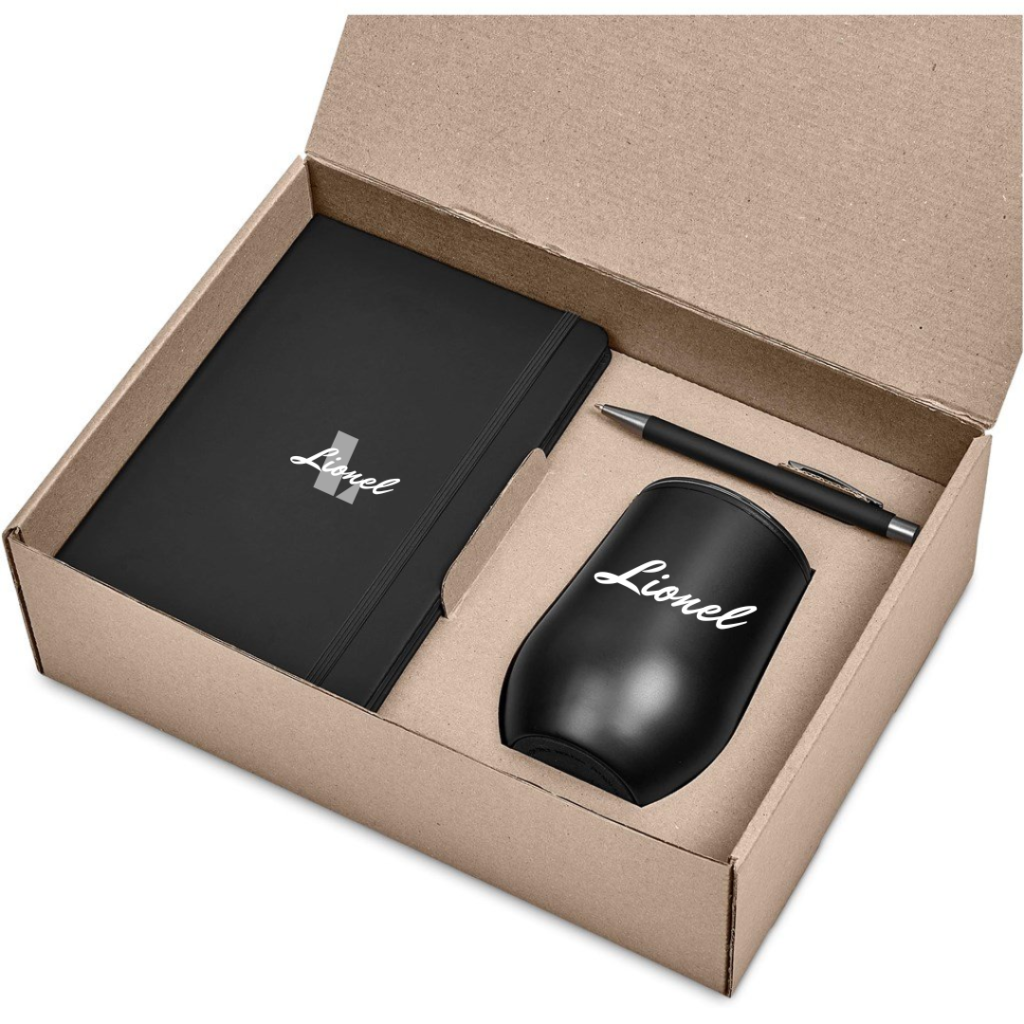
Here is an example of a mockup done in Canva showing the customer how the layout, colour and spelling will look on your product.
Managing Special Requests & Changes
Special requests will happen.
Last-minute changes.
Extra ideas.
Design tweaks.
How you handle them determines whether clients respect you.
Handle It Like a Pro
✔ Set boundaries early
Example:
“One design revision is included with your order.”
✔ Charge for extra work
Multiple changes = extra time = extra cost.
A small design fee protects your energy.
✔ Use a production cut-off
Example:
“Once production begins, changes are no longer possible.”
✔ Stay polite but firm
Example:
“I’d love to help, but the design has already been cut. I can remake it at the standard rate if you’d like.”
Kind. Clear. Professional.
Personalisation = Premium
Custom work is not “just adding a name.”
It includes:
✔ Design time
✔ Communication
✔ Proofing
✔ Adjustments
✔ Responsibility
That is value.
Price accordingly.
Customers are willing to pay more for personalised items when:
– You communicate clearly
– You look professional
– You deliver consistently
Pro Tip: Pre-Set Custom Options
Create standard listings that include:
✔ Font choices
✔ Colour options
✔ Name field
✔ Theme options
This reduces back-and-forth and speeds up ordering.
Common Beginner Mistakes
❌ Starting production without approval
❌ Guessing spelling
❌ Allowing unlimited changes
❌ Not charging for design time
❌ Accepting rushed deadlines without extra fees
Systems protect your peace.
Action Steps Before Moving On
✔ Create a spelling confirmation message
✔ Build 3 reusable custom templates
✔ Design a basic order form
✔ Write your revision policy
✔ Set your design fee (if applicable)
Personalisation is where amateurs struggle.
Professionals systemise.
Now you know how.